Research projects
One Deck per research topic. One Task per angle. Files for sources, notes, and synthesis.
Each topic gets its own conversation. Build up the files your project needs — notes, drafts, deliverables — together with your AI, instead of letting the work dissolve into chat history.
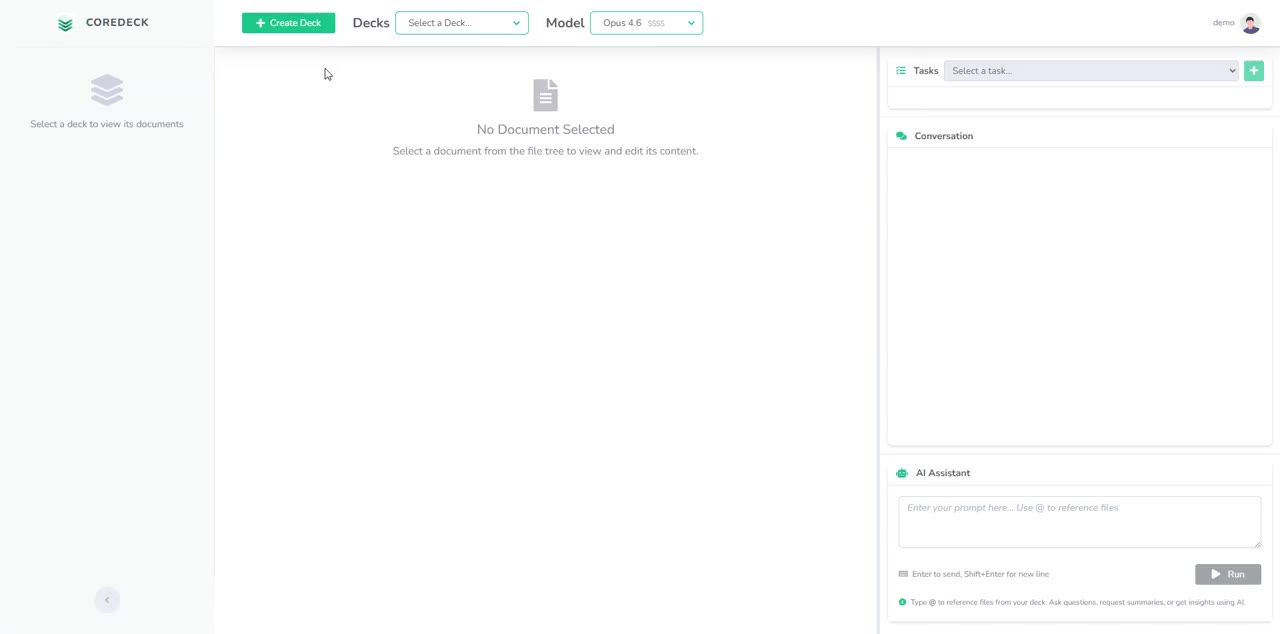
Long chats mix topics — the LLM loses focus.
Each topic gets its own conversation. The model stays in focus.
Decisions you made last week are buried up the scroll.
Every decision lives as a file you can open, edit, and reuse.
Parallel topics tangle in one thread.
Parallel conversations in one project. No bleed, no re-prompting.
Your insights stay trapped in the chat that made them.
Your insights become files that survive every conversation.
Stuck on one model — switching providers means starting over.
Change the underlying model on any query. The Deck holds the context.

A dedicated project space for one problem domain.
Independent conversations within a Deck — one Task per topic, each with isolated context. No topic bleed.
Insights saved as Deck Files live next to the chat and are accessible to every Task. Files persist and evolve across Tasks.
Divide your problem into topics → one Task per topic → LLM generates output files → files inform future Tasks.
Set what the Deck is for — say, "a current competitive review of [field]." The assistant asks clarifying questions and sharpens the goal as you answer.
Upload PDFs and other material. The Deck can also pull from the web when more is needed.
Answers don't stay buried in chat — they become files. One per competitor, one summary, whatever shape you ask for.
Point a query at one or more files. Ask the Deck to update them in place — "add the article by X to abstract.md."
Change the underlying language model on any query and keep going. The Deck holds the context.
Pick the right model from various providers — Anthropic, Google, OpenAI, and more.
Third-party trademarks are the property of their respective owners. Use of these marks does not imply endorsement.
One Deck per research topic. One Task per angle. Files for sources, notes, and synthesis.
One Deck per content piece. One Task per stage — outline, draft, iterate. Files for outlines, drafts, and revisions.
One Deck per market study. One Task per player or comparison. Files for profiles, analyses, and the final brief.
One Deck per thesis. One Task per chapter. Files for references, notes, and chapter drafts.
See our Privacy Policy and Terms of Service.
Start free. Upgrade only when you need more decks, credits, or models.
Plan details temporarily unavailable.
See pricing in the app →Mid-cycle upgrades are prorated. Annual plans are billed once per year and save roughly 8% versus monthly billing.